If one of your sent press releases contained an error, don't worry. Newsroom makes it easy to make a correction and notify the media about the change.
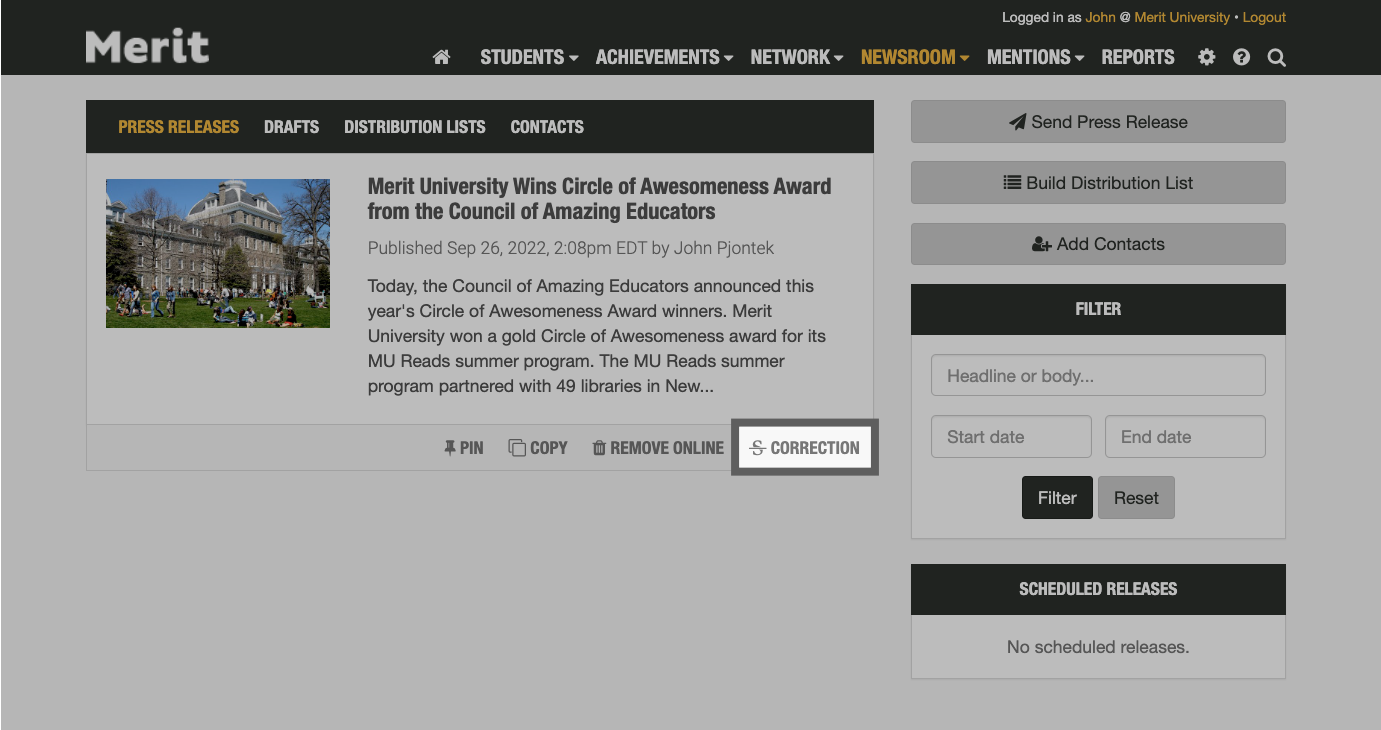
On your Newsroom page, each press release will have a Correction link to let you update your story right away:
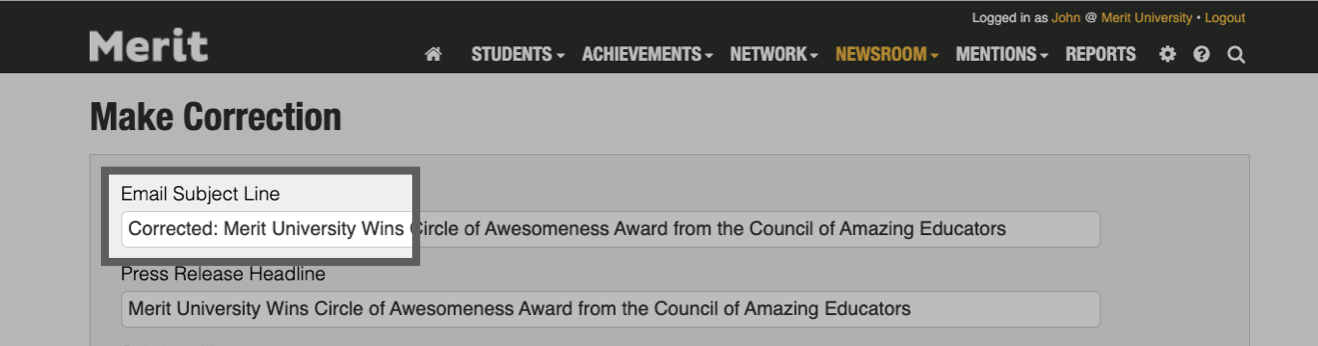
When you re-enter the press release workflow, Merit will automatically include all of the text from your original press release. You will see an additional field here called Email Subject Line. This is the first thing your recipients will see when opening their email. By default, Merit will add the word "Corrected:" to your email subject line but you can make changes:
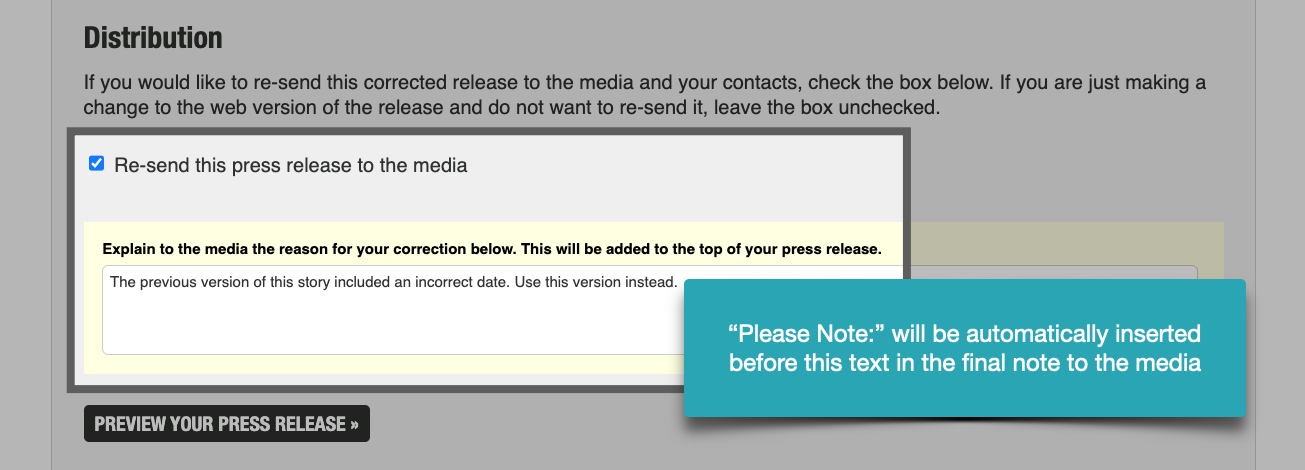
You can then make any necessary changes to the body of your press release. Select the Resend this press release to the media option if you wish to notify the media about your changes to this story. Checking the box will allow you to add a special note to the media:
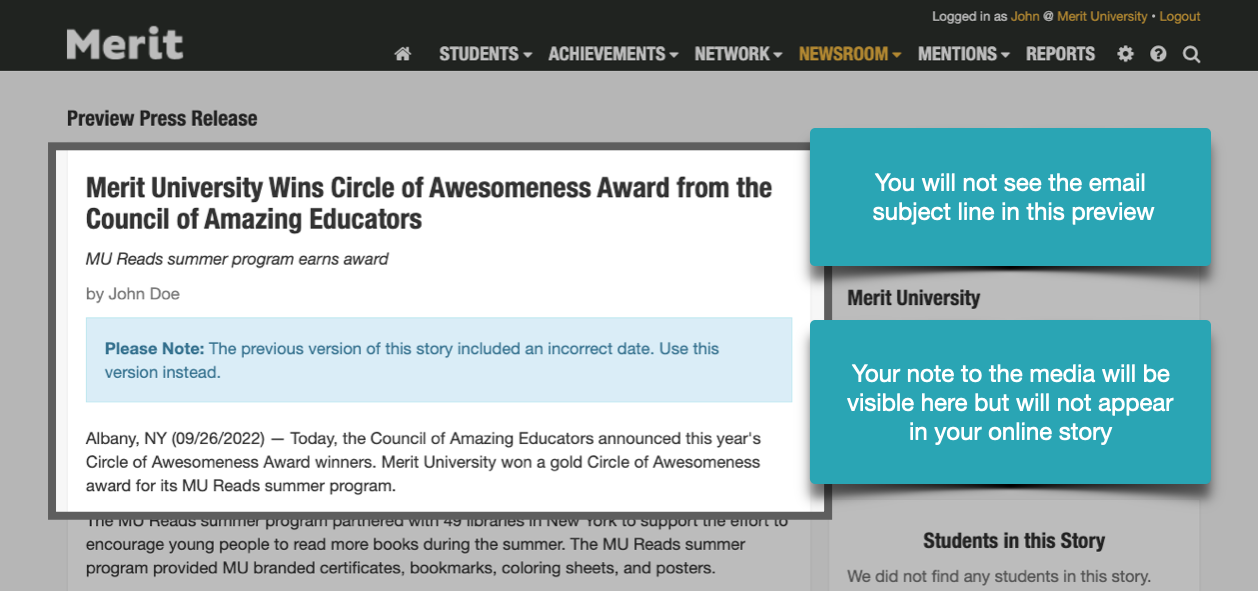
You can then preview your revised press release. The preview of your corrected press releases will summarize all of the changes to your story but will not be specific to any one audience: